1. What is machine vision?
Simply put, it is the use of the camera as an automated quality control tool. We complement our laser systems with machine vision, saving the customer the cost of the output inspection worker’s salary and increasing profitability. The undeniable advantage is the functionality of these devices. Compared to humans, they are more accurate, faster and work around the clock.
2. Why is it generally good to have machine vision in a laser device?
Machine vision in laser stations can be used in several ways for:
- VALIDATION (checking of individual pieces before they are put into further production)
Checking of the piece to be described by laser – its dimensions, certain production parameters – compliance with e.g. the required dimensions, etc.
Production selection (product recognition) and subsequent automatic setting of the device
- VERIFICATION (verification of correctness of production)
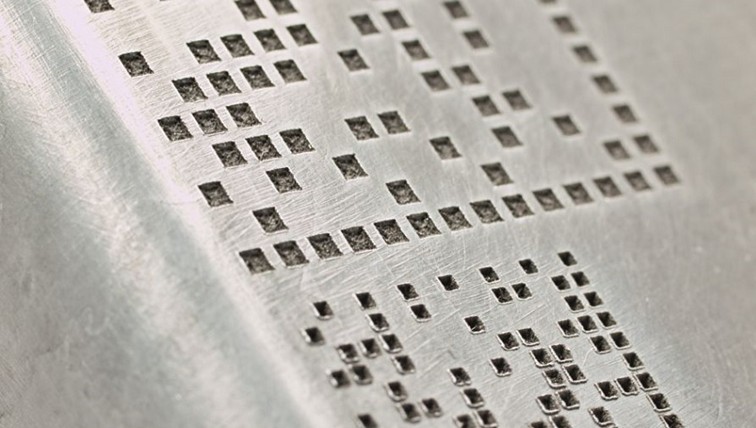
Most often laser description / laser engraving – verification of quality, location, layout, legibility, for 2D codes determination of quality according to the required customer standards
- CORRECTION (of manufacturing tolerances, foundation tolerances)
Marking out the description to a predefined location, which can change on the piece or in the foundation of the product, whether due to the complexity of the piece, size (machine vision checks what a person does not clearly recognize and in a shorter time)
3. What applications do you most often solve? (position search, comparison, reading, verification, checking …)
Wherever a machine vision system is implemented, we try to use its full potential. I.e. the different applications go hand in hand, it is not possible to distinguish exactly which is the most common. Still, if I had to mention something, it is the classic combination of validating the correctness of the underlying piece before description and verifying the description.
4. Is it possible to add this control mechanism to an existing laser system?
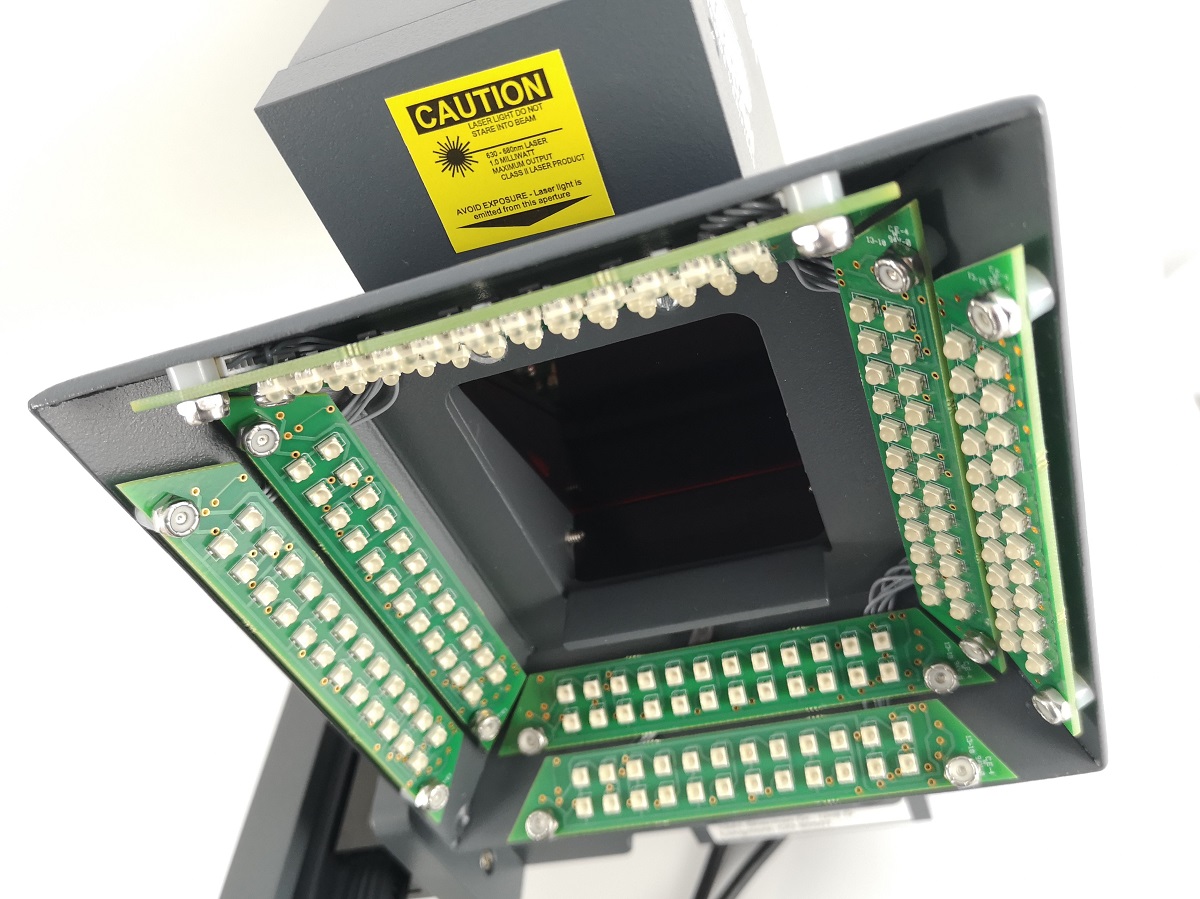
Not always. It depends on the existing design, data interfaces and HW equipment. Implementing an optical system (depending on what kind) generally requires powerful HW (computer for SW operation), some way to communicate with the rest of the facility, and space to accommodate appropriate lighting and individual optical devices.
5. What types of cameras, readers, checkers do you use and what are they suitable for?
Based on the laser application, it can be implemented in our device:
- CHECKERY
Most often for validation of a piece before description, see above
- READERS
For verification of marked 2D code
For production selection – validation of product correctness
- INTELLIGENT CAMERAS
Widely used, do not require deeper know-how
Need a controller – more rack space
Do not allow as high a degree of configuration as we sometimes need
As features expand, cost and complexity of use increases
- NON-INTELLIGENT CAMERAS
Very wide HW portfolio
Purely industrial solutions
Huge number of SW options
They can practically replace all of the above
More complex way of working with them
- TERMOCAMER
Features of smart cameras, but output temperature data – in practice it is more of a sensor than a camera per se
Welding applications (can be replaced by other technology)
6. How is the data archived and what is the LinMARK used for?
LinMARK can serve as:
- DATA INTERFACE – To enable convenient work with complex data structures linked to products
- AUTOMATIC OPERATION OF SAMLIGHT SW – Due to the high demand for genericity of the described data, LinMARK is able to automate most of the steps that the operator would have to do manually when setting up the laser prescription. Different approaches are used in different applications, however, with LinMARK we can perform even very sophisticated laser prescription work quickly and without the need for a trained staff member to participate. At the same time, this way we minimize error – e.g. creating images of the correct dimensions – it is not necessary to manually transfer data from the keyboard, but often it is automatically generated, calculated or filled from the database or by communication from the parent system
- COMMUNICATION INTERFERENCE – Some of our customers’ devices and systems are not compatible with the communication capabilities of our PLCs. At that point, LinMARK, which is developed for the .NET Framework under Windows, can handle communication with such systems. In the case of non-intelligent camera systems, it is then used to operate them
- AS A USER-FRIENDLY DEVICE INTERFACE – By design, we try to stick to familiar layouts and functions, the look and feel that users of our devices may be accustomed to using from their mobile phones, for example. LinMARK often alternates otherwise commonly used HMIs and provides the device user with tools for configuration, setup, maintenance
- FOR DATA ARCHIVING – Information about production as such, evaluation of individual pieces, records of counts and individual process steps of the equipment. Often, customers are satisfied with different formats and ways of storing this data, and LinMARK, as an application written to suit each machine, can accommodate exactly this variability. Various methods are used for archiving – from text files to SQL databases lying on the cloud.